
There are a few ways to download your Exclusive Content subscribers and get them into your Email Service Provider.
Manually Download
In your Publisher Dashboard, go to Tools > Subscribe Forms, open the Settings tab, and click Export Subscribers.
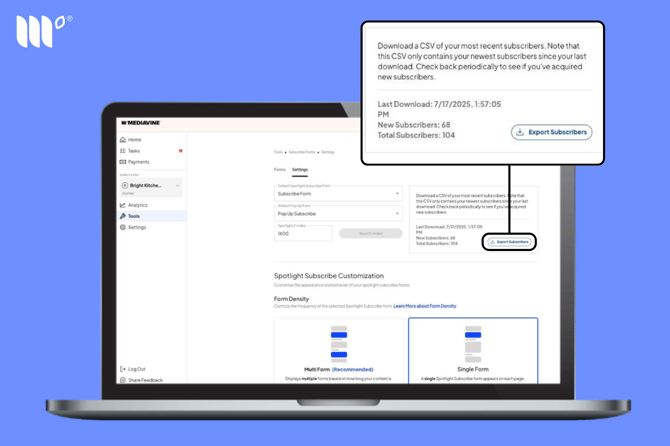
This CSV only includes subscribers you've gained since your last download, so check back periodically for new subscribers or set up Form Actions to automatically send them to your Email Service Provider.
Once you've downloaded the CSV, you can see which source each subscriber came from.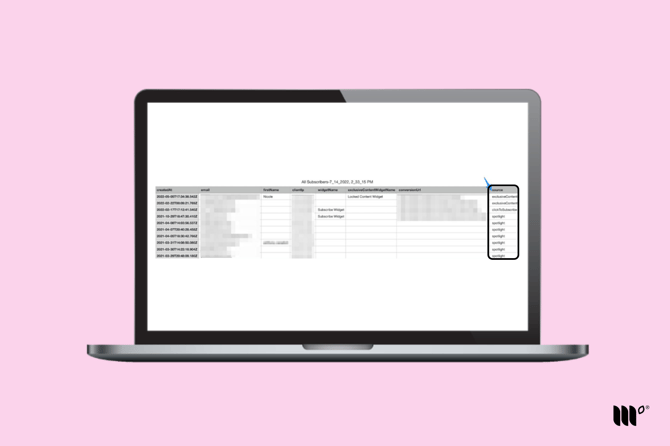
Integrations with Email Service Providers
See our [available third-party Email Service Provider integrations](). You can connect yours in Tools > ESP Integrations.
Zapier
Send your Exclusive Content subscribers to the Email Service Provider of your choice with Zapier. [Learn how to set this up]().
Exclusive Content is a legacy tool only available to publishers who used it before Grow became Tools in November 2026.