
Moving from another bookmarking or favoriting tool, like Slickstream or WP Cultivate? Import Data brings your readers' saved posts over, so they can pick up where they left off.
This Tool is available to sites in Mediavine Official and higher Programs only. Sites in the Journey Program cannot import users from other bookmarking tools.
Before You Start
Turn on Import Data. Import Data needs to be turned on for your site by our team. Contact Mediavine Support and ask us to enable Import Data. Once it's on, you'll see an Import Data card in Tools.
Get a CSV from your previous provider. Ask your current or previous provider for a CSV file that:
- Matches each of your users with their bookmarks
- Includes the total favorite count for each post, so your counts stay accurate
You can use this message:
Hi [name],

I'm writing to request a CSV file of my users. In this file, I need:

1. Each user matched with all their bookmarks
2. The total favorite count for each post

Thank you so much!
Your CSV file can't be larger than 5MB.
How to Import Your Readers
Step 1: Go to Tools > Import Data in your Publisher Dashboard.
Step 2: Check the box to confirm each contact has given permission to receive marketing communications from your site.
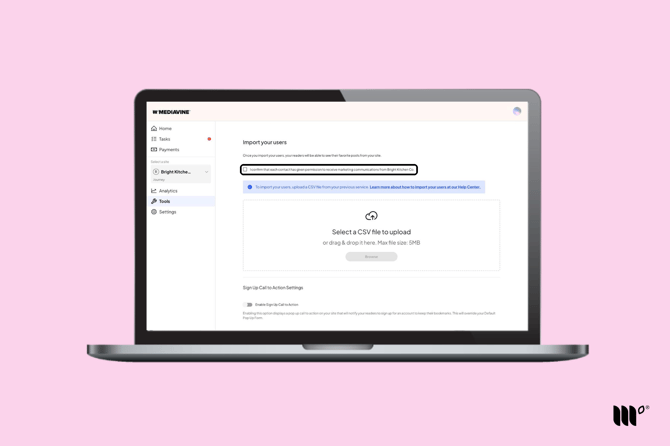
Step 3: Click Browse to choose your CSV, or drag it into the upload area. Then click Save.
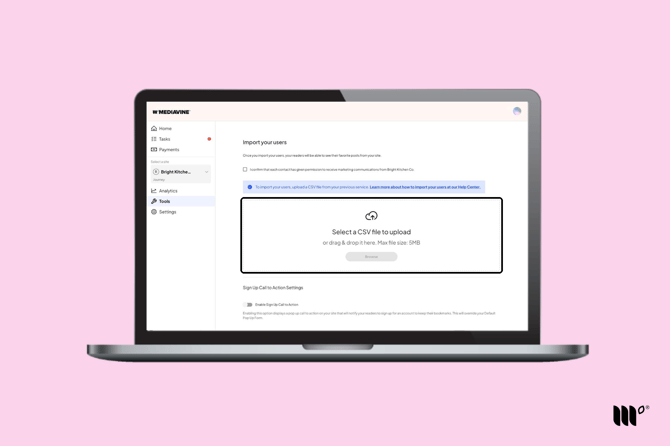
Once your import finishes, your readers will see their favorite posts from your site.
Encourage Readers to Sign Up
Turn on Enable Sign Up Call to Action to show a pop-up asking readers to sign up for an account to keep their bookmarks. Readers who sign up also give consent for personalized ads, which can mean more revenue for you.
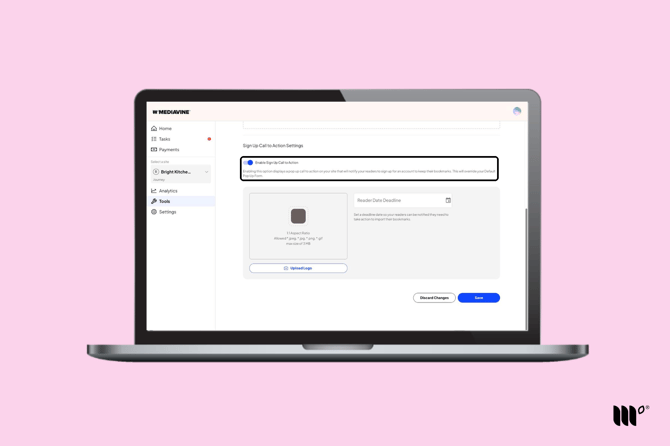
Note: The call to action replaces your Default Pop Up Subscribe form while it's running.
When it's on, you can:
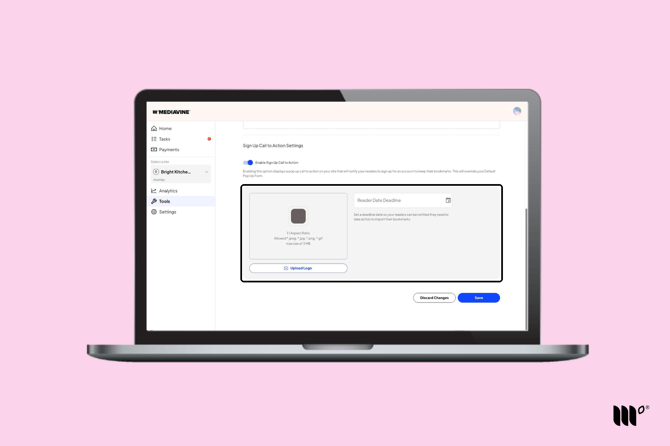
- Upload a logo for the pop-up (1:1 aspect ratio; JPEG, JPG, PNG or GIF; up to 3MB).
- Set a Reader Date Deadline. The pop-up tells readers they need to sign up by this date to keep their bookmarks. It stops showing after the deadline, and your Default Pop Up Form comes back.
Not sure what deadline to set? Most readers come back within 7–10 days. You can check how often your readers return in your analytics.
Click Save when you're done.