
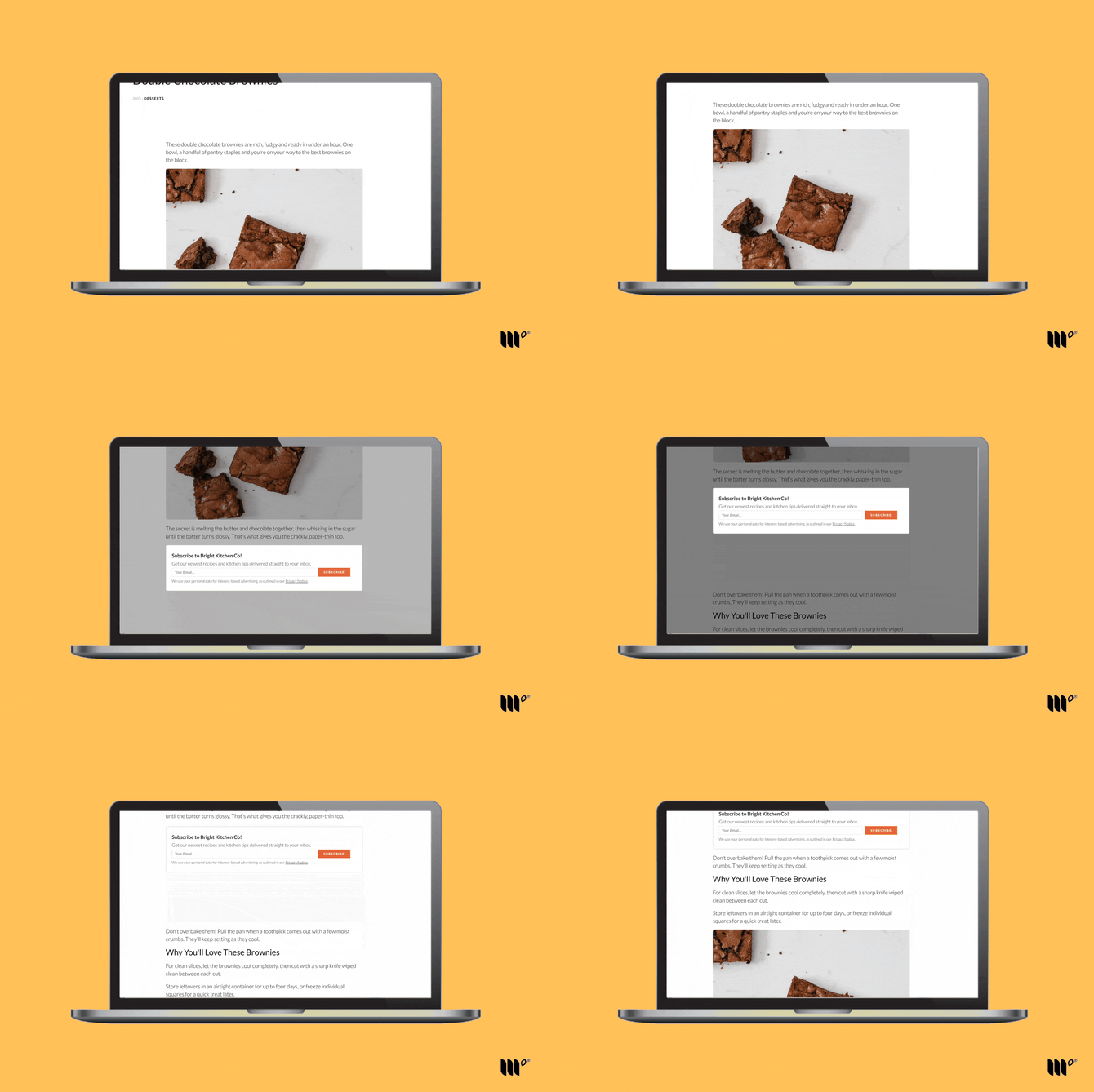
Spotlight Subscribe is an in-content Subscribe Form that gets readers' attention without a pop-up. As a reader scrolls to the form, the rest of the page darkens around it, putting the form in the spotlight. The effect fades after a few seconds, or sooner if they scroll past or click the page.
Where Does It Show?
Spotlight forms show near the beginning of your post content:
Spotlight Subscribe forms can be automatically placed on:
- Every post, if the form is your Default Spotlight Subscribe Form.
- Posts in the categories you choose, if you use Category Targeting.
- Recipe or how-to cards when set as the Most Valuable Content Subscribe form.
With Form Density set to Multi Form, longer posts get more Spotlight forms evenly spaced throughout the content. See Subscribe Forms Settings for more details.
Note: You can't move the Spotlight form. Its placement has been tested for the best conversion rate. To put a form in a specific spot, use a Manual Placement form.
How to Set Up Spotlight Subscribe
Step 1: Create a Subscribe Form and choose Spotlight.
Step 2: Go to Subscribe Forms > Settings and choose your new form as your Default Spotlight Subscribe Form. Or use Category Targeting to show it only on certain categories.
Good to Know
- Readers who've already subscribed to a form won't see it again. If you don't see your form in your content, use a private or incognito window, another browser, or another device.
- Inview Effect: turn this on in Subscribe Forms Settings to keep the form on screen a little longer as readers scroll.
- Not seeing your form? Your site may need a content selector.