
Exclusive Content locks specific content on your site behind a free, subscriber-only wall. It helps you grow your mailing list and encourages readers to create an account. Here's what readers see when they come across Exclusive Content on your site.
Exclusive Content is a legacy tool only available to publishers who used it before Grow became Tools in November 2026.
US Readers
As they scroll a post, readers will reach the section locked behind your Exclusive Content widget, like this:
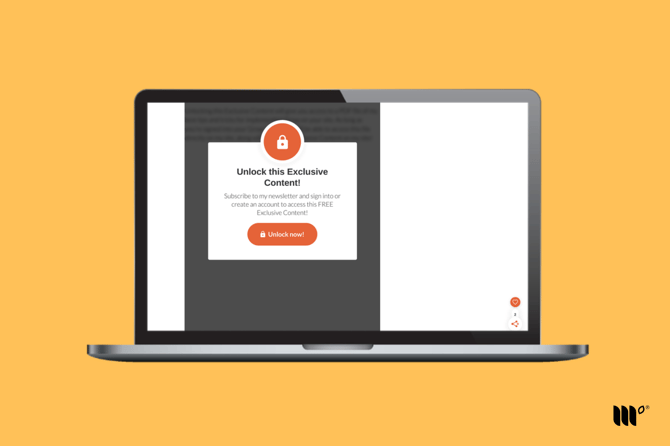
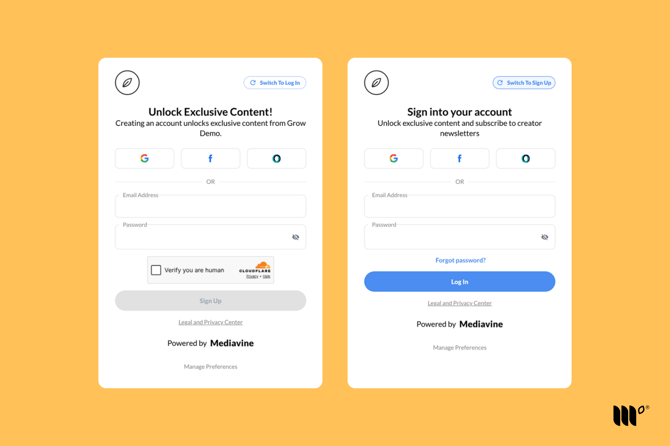
After clicking the unlock button, readers can create a new account or log into an existing one.
By signing up or logging in, the reader also agrees to subscribe to your site's newsletter.
Readers who are logged in and subscribed to your site can access all Exclusive Content on your site.
EU Readers
As they scroll a post, readers will reach the section locked behind your Exclusive Content widget.
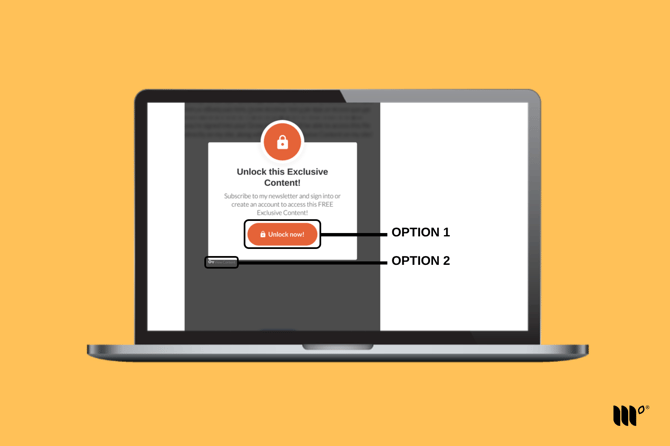
To unlock the Exclusive Content, readers have two options:
Option 1: Create an account or log into an existing account
This unlocks all of your Exclusive Content once they've created an account or logged in.
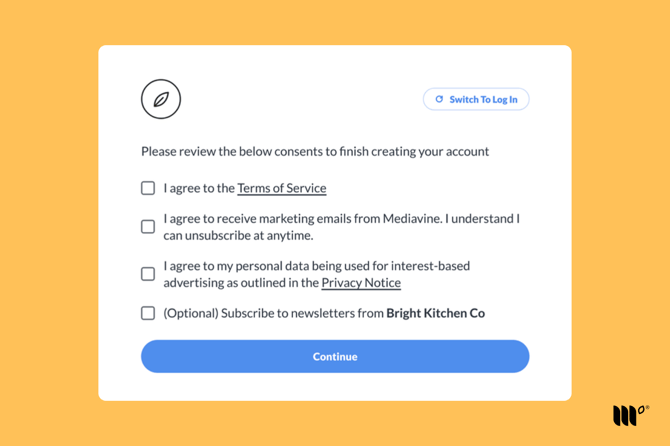
As a final step, EU readers will also need to complete the consent options to finish creating their account.
Option 2: Skip creating an account by using the View Content link
Clicking the View Content link below the Exclusive Content widget unlocks the content, but only on the post the reader is viewing. They'll need to unlock Exclusive Content on other posts one at a time when using the View Content link.