-spacing.png?width=385&height=100&name=mediavine-horiz-white-pn-RGB-(r)-spacing.png)
Whether you use our WordPress Mediavine Control Panel plugin or insert it manually, our script wrapper is the first step toward placing ads on your site.
What Is the Script Wrapper?
The script wrapper is a small piece of code that connects your site to Mediavine's ad system. It's the foundation of your ad setup. Without it, ads won't run on your site.
Once installed, it pulls in your settings directly from your Mediavine dashboard. Any changes you make in the dashboard are automatically reflected through the script wrapper. No manual updates needed.
It's built to be lightweight. It only loads the scripts your specific setup requires, so nothing unnecessary runs on your site.
Installation
Installation steps vary slightly depending on your platform. Select yours below for specific instructions.
Finding the Script Wrapper in Your Dashboard
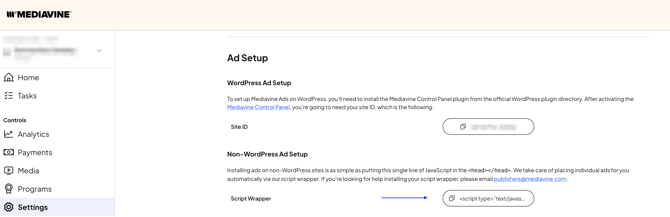
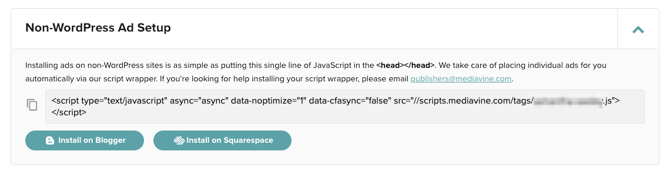
Navigate to Settings > Ad Setup. From here, you can view the Site ID for WordPress Setups, or download the script for manual Placement.
Legacy Dashboard
Settings > Ad Setup
Is Further Optimization Necessary?
Our script wrapper was built prioritizing speed. Any attempts at additional optimization may impact ad performance and, in the past, have led to our script to not work as intended. We do not suggest making additional adjustments.
Have questions? Reach out to publishers@mediavine.com. We're happy to help.